













© Urenkoff 2025
A step by step method, the differences that cause most of the work, and how to stop doing it by hand.
Accounts receivable reconciliation answers one question: does what customers owe you, according to your records, agree with the money that has actually arrived. It sounds simple. It takes most finance teams several days a month, and almost all of that time goes into a handful of payments that do not line up cleanly.
This guide covers the process end to end, why it breaks, and what changes when the matching runs automatically.
First, be clear which reconciliation you mean
Two different jobs share the name, and mixing them up is the reason AR reconciliation often feels harder than it is.
- Payment to invoice matching. Tying each payment you received to the invoice or invoices it settles, and explaining every difference between the two. This is the operational work, and it is where the hours go.
- Subledger to general ledger tie out. Confirming that the total of your AR subledger equals the AR control account in your general ledger. This is an accounting check, and it is usually quick once the first job is done properly.
The second one only balances if the first one was done well. If payments were force matched to the wrong invoices, the control account can still tie while the customer balances underneath it are wrong. This guide is mostly about the first job.
What you need before you start
- The AR ledger for the period: open invoices, amounts, dates and customer references.
- The money received: bank deposits, card settlements and any payment processor payouts.
- Credit notes, refunds and any agreed write offs.
- Remittance advice, where customers send one.
- The AR balance from the general ledger, for the final tie out.
Fix the cutoff date before you pull anything, and use the same date on every source. Half the differences people chase turn out to be one side pulled on Friday and the other on Monday.
The six steps
Step 1. Agree the opening balance
Start from the closing AR balance of the last reconciled period. If that number was never signed off, everything you do now inherits its errors. Reconcile the earlier period first, or accept that you are reconciling to an unknown.
Step 2. Match payments to invoices
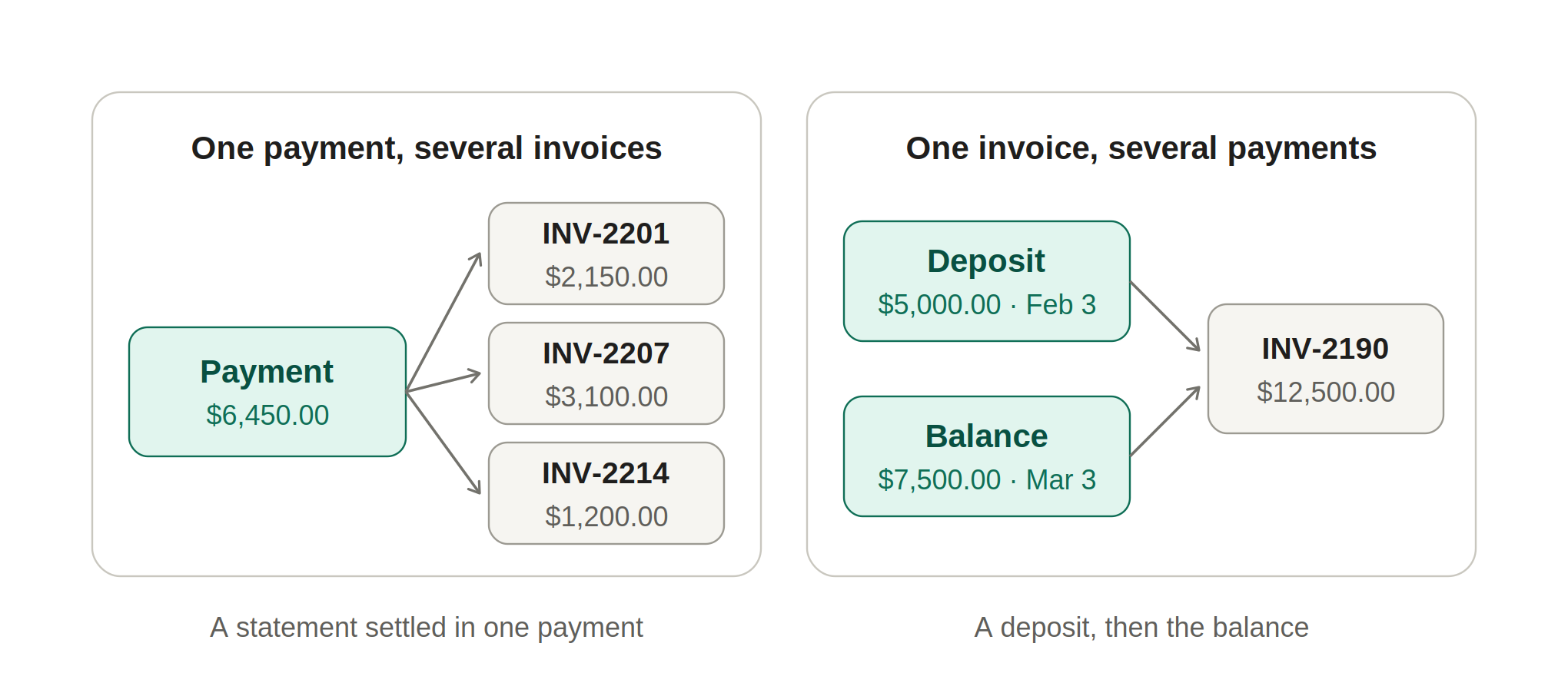
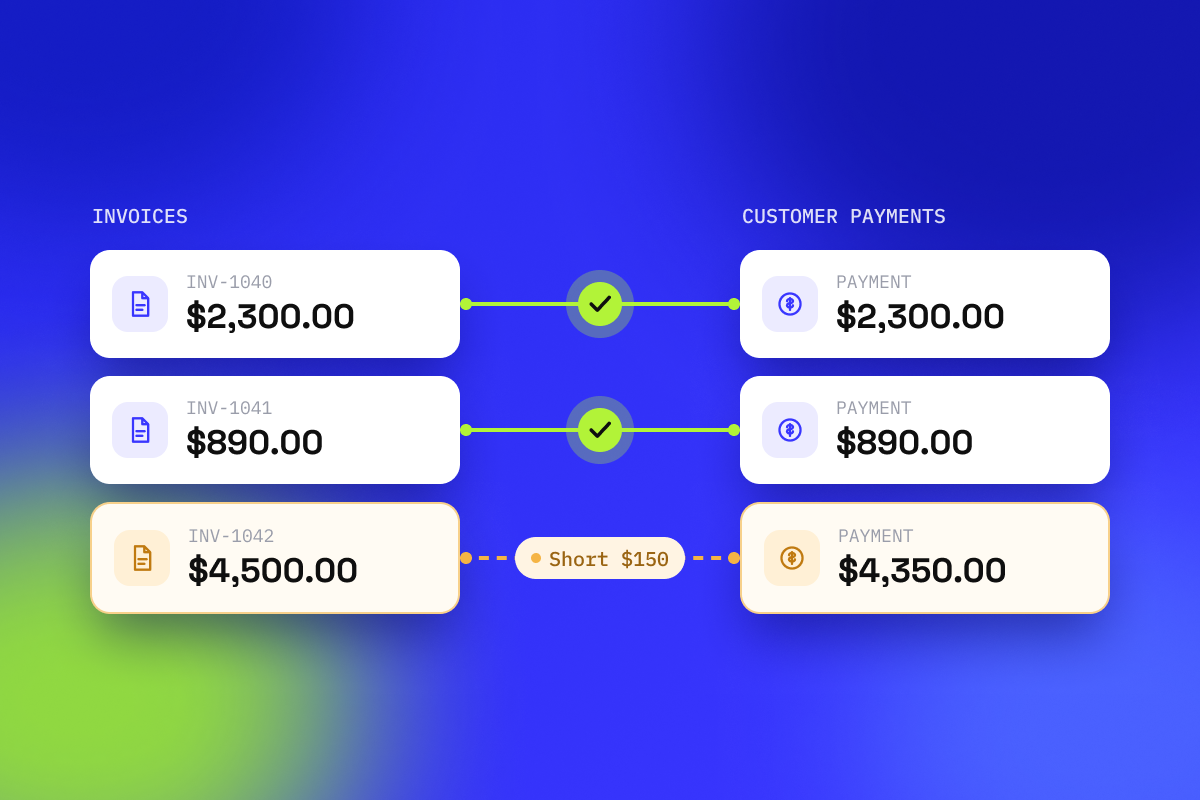
Take each payment received and identify which invoice or invoices it settles. Match on more than one thing: the amount, the date within a sensible window, and a reference such as the invoice number or the customer account. Matching on amount alone will pair the wrong records the moment two customers owe you the same figure.
Expect that many payments will not be one to one. A single payment often covers several invoices, and a single invoice is often settled by more than one payment.
Step 3. Explain every difference
Where a payment does not equal the invoice, name the reason before you adjust anything. An adjustment with a cause recorded against it is a reconciled item. A number quietly moved until the two sides agree is a problem you have hidden.
Step 4. Age what is left
Whatever remains unmatched is either an invoice nobody has paid or money you cannot attribute. Age it, so the thirty day items and the ninety day items are treated differently, and assign an owner to each.
Step 5. Tie out to the general ledger
Compare the AR subledger total to the AR control account. If they differ, the cause is almost always a journal posted directly to the control account, a timing difference across the cutoff, or a payment applied in one system and not the other.
Step 6. Document and sign off
Record what was matched, what was left open, who reviewed it and who approved it. This is the part most often skipped and the first part an auditor asks for. A reconciliation you cannot evidence is an opinion.
The six differences that cause most of the work
Across almost every AR ledger, the same handful of cases account for the majority of the time spent.
Two of these deserve particular attention. Money arriving from an account you never invoiced should stay unmatched on purpose. That mismatch is exactly the kind of thing a review is meant to catch, not something to force match away.
Unapplied cash is the quieter one. A payment that arrives before its invoice is not an error, but it becomes one if it sits on account for months while nobody revisits it. Age unapplied cash the same way you age unpaid invoices, and review it on the same cycle.
How often should you do it
Monthly is the common answer and it is usually the wrong one. The cost of an unexplained payment rises with age: remittance advice gets deleted, the person who arranged the payment moves on, and a customer who was happy to clarify in March has forgotten by June.
Reconciling weekly, or daily where volumes justify it, does not add work. It divides the same work into pieces small enough to resolve while the answers are still available.
Automating accounts receivable reconciliation

Step two is mechanical. A person comparing amounts, dates and references across thousands of rows is doing something a rule does faster and more consistently, and getting steadily worse at it as the file grows.
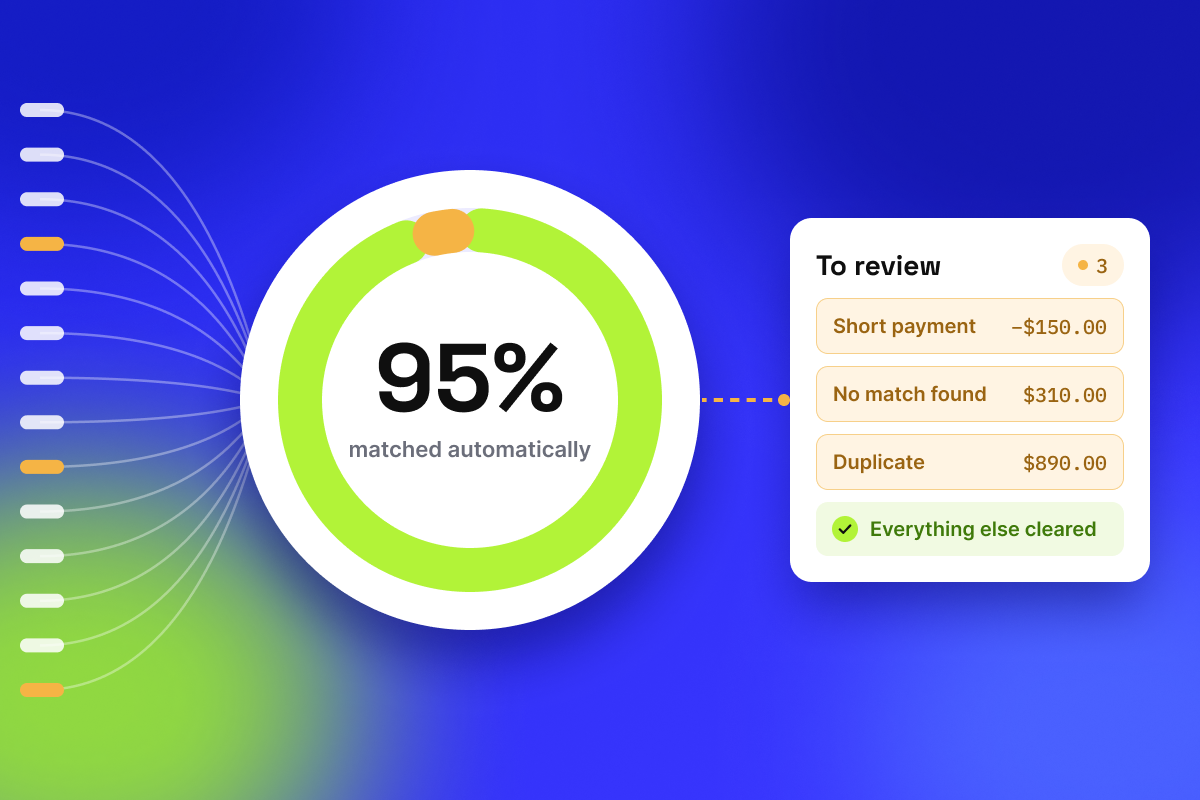
LedgerMatch takes your receivables data on one side and the money that arrived on the other, applies your matching rules to every line, and returns only what does not agree. You decide what counts as a match: the amount, the date window, and which reference has to agree, such as the invoice or order number. Up to 95% of transactions match without anyone touching them.
What comes back is a short list rather than a full ledger. Each item is already sorted into one of four states, carries the reason it did not match, and points at the document that would close it. Nothing sits in an unlabelled pending pile, which is where manual reconciliations usually lose things.
Some differences are real and will never clear on their own. A fee that was never going to be recovered, a rounding difference on a foreign currency receipt, a small balance the business has agreed to write off. These need an adjustment, and LedgerMatch lets you post one against the line.
The difference between an adjustment and a plug is whether anyone can see what it was for. Each adjustment is recorded against the item it relates to, with the reason and the person who made it, and it appears in the adjustments sheet of the audit support package. The total still moves, but it moves for a stated reason that someone can check afterwards.
Adjusting a number because you know why it is different is reconciliation. Adjusting a number because you want the two sides to agree is not.
The connections are read only throughout. LedgerMatch can see transactions and cannot move money, and it posts nothing to your accounting software, so a mistake stays a line to correct in LedgerMatch instead of a journal someone has to reverse in your books.
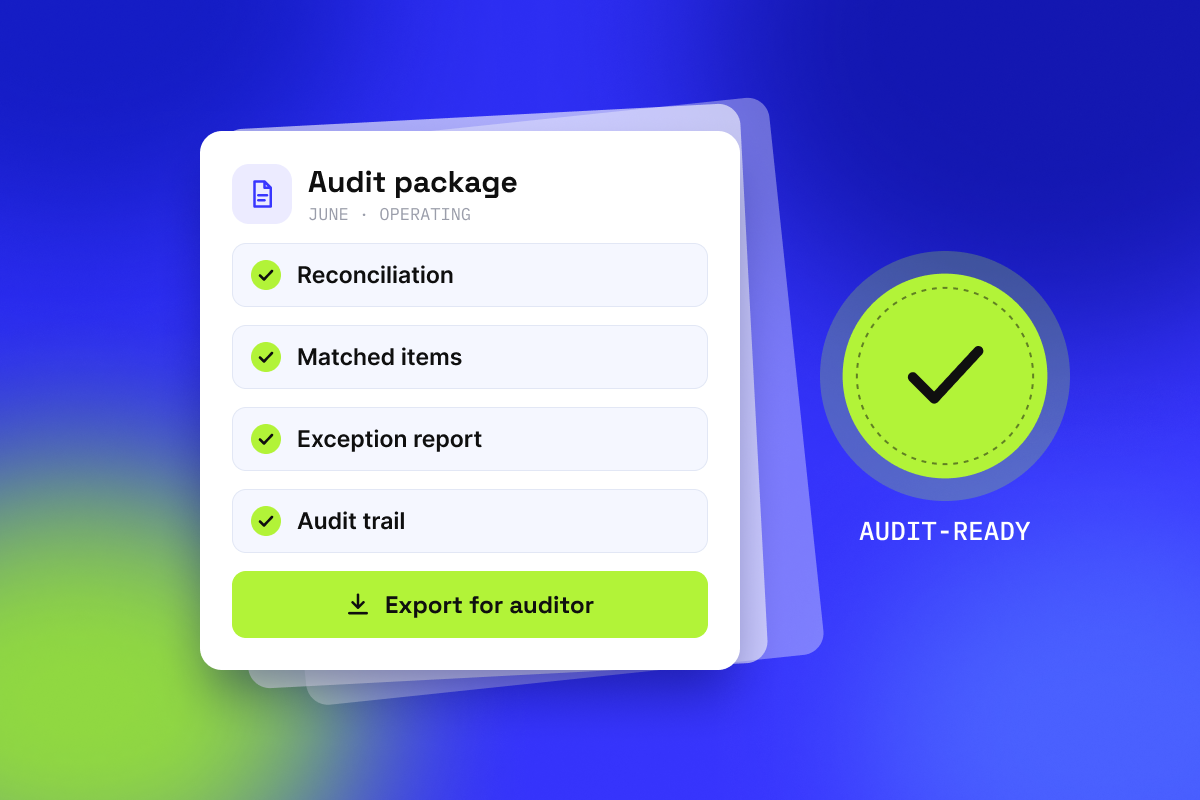
At the end of a period it produces the audit support package in one click: reconciliation, summary, exceptions and adjustments. Every figure traces back to a source record, so an auditor can re-run the result rather than take it on trust. You can see the full approach on our reconciliation software page.
What automation does not do
It does not decide. A short payment still needs someone to agree the credit note or chase the balance. A payment from an unexpected entity still needs a person to establish who paid and why. Automation removes the searching, not the judgement.
It does not run your controls either. Assigning an owner to an open item, and recording who reviewed and approved the reconciliation, stay with your team and your own process. LedgerMatch does the matching and the evidence behind it, not the sign-off.
It also does not replace your accounting software. LedgerMatch works alongside whatever you already use, and your books stay where they are.
A short checklist
- One cutoff date, applied to every source.
- Match on amount, date window and reference. Never on amount alone.
- Expect one to many and many to one. Do not force them into pairs.
- Give every difference a cause. Never adjust a number until it agrees.
- Age what is left, including unapplied cash, and give each item an owner.
- Record who reconciled and who approved, as you go.
- Reconcile more often than monthly if the volume allows it.
In closing
AR reconciliation is not difficult work. It is repetitive work that punishes you for falling behind. One cutoff, match on more than the amount, give every difference a cause, and never force a number to agree.
The test was never whether the totals agree. It is whether you can explain what is left, and whether the next person to look at it sees the same thing you saw.
See it against your own numbers. Book a walkthrough and we will put the matching alongside a month your team has already finished, so you can compare the two answers before anything goes live.


Become a Design Partner
Reconcile faster. Stay audit-ready
We're accepting a limited number of organizations for the inaugural cohort. No cost, 12 months, direct access to our team.
General
General
November 5, 2026
How to Audit a Bank Reconciliation
A bank reconciliation that balances proves almost nothing. This guide covers the full audit procedure, the manipulations it catches, and the red flags worth knowing.
General
General
November 5, 2026
How to Connect Your Business Bank Account for Automatic Reconciliation
Connecting your bank account directly is what makes daily reconciliation possible, instead of exporting a statement once a month. This guide covers what the connection actually gives a vendor, the six questions to ask before you authorise one, and how to test the result against a month you have already closed.
General
General
November 5, 2026
LedgerMatch brings automatic payout reconciliation to Clover merchants
LedgerMatch ofrece a los comerciantes de Clover una conciliación automática de los pagos
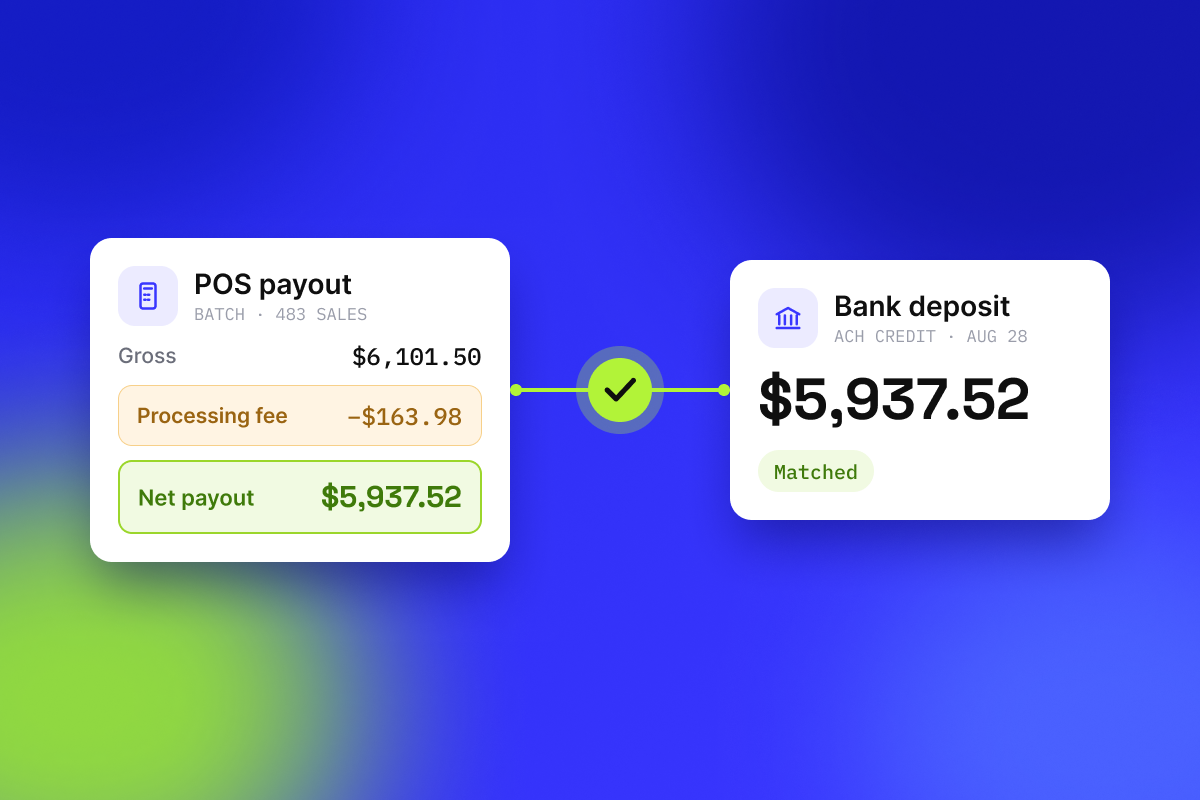
A new Clover POS integration connects card processing and the bank account on one side each, then returns only the lines that do not tie.
Una nueva integración de Clover POS conecta, por un lado, el procesamiento de tarjetas y, por otro, la cuenta bancaria, y a continuación muestra únicamente las partidas que no cuadran.